7 Rules for Using Life Four Cuts Korea Self-Photo Booths in Seoul
Key takeaways
This practical guide outlines the seven key rules for using Life Four Cuts and unmanned self-photo booths in Seoul. Learn how to switch kiosks to English, pick studio brands, manage 10-second pose timers, avoid payment errors, and download digital QR photos and videos before they expire.
Visiting an unmanned self-photo studio in South Korea is a fun way to capture quick memories. Known locally as Insaeng Necut (인생네컷)—which translates to "four cuts of your life"—these automated booths have turned simple souvenir photos into a massive trend. From Hongdae shopping streets to quiet back alleys in Seongsu-dong, neon-lit storefronts operate around the clock.
While using an automated kiosk is mostly self-explanatory, Korean-only menu options, fast photo timers, and payment glitches with international credit cards can throw off first-time visitors. Based on official industry guidelines and practical travel details, this guide outlines the seven key rules you need to know to take great photo strips in Seoul.
What Is Insaeng Necut and Why Is It a Must-Try Seoul Experience?
Insaeng Necut (인생네컷) is the common South Korean term for modern self-service photo booths where visitors pick out fun accessories, pick digital frame themes, take quick photo sets, and download digital copies. Life Four Cuts popularized the trend when it launched in 2017, but today the phrase applies to an entire market of competing booth chains.
Unlike older arcade booths, these Korean studios feature soft lighting, high-end DSLR or mirrorless camera sensors, custom artist frames, and quick digital media downloads. Friends, couples, and solo travelers visit them to document outfits, mark special occasions, or keep memories from a night out in Seoul.
| Feature | Korean Self-Photo Booths (Insaeng Necut) | Legacy Arcade Photo Booths |
|---|---|---|
| Lighting & Optics | Professional overhead softboxes & DSLR/mirrorless setups | Basic flash tube & low-res webcam sensors |
| Digital Media | High-res .jpg photos & animated .mp4 video clips via QR code | Low-resolution digital scans or physical print only |
| Frame Customization | K-pop idol collabs, seasonal themes, high-angle Y2K frames | Generic static borders |
| Store Setup | Unmanned storefronts with dressing mirrors & free accessories | Single isolated coin-operated booth unit |
| Pricing (KRW) | ₩4,000 to ₩10,000 per session | ₩3,000 to ₩5,000 per session |
Rule 1: How Do You Choose the Right Photo Booth Brand for Your Style?
Picking the right photo booth comes down to what look you want—soft skin-smoothing filters, collectible K-pop idol frames, or high-angle Y2K shots. Main Korean studio chains each offer distinct camera setups, frame libraries, and overall aesthetics.
While Life Four Cuts is still the most ubiquitous option, alternate brands cater to specific visual tastes. Reviewing brand specialties beforehand helps you hit the right booth for your travel photos.
| Studio Chain | Primary Aesthetic | Standout Feature | Typical Price Range |
|---|---|---|---|
| Life Four Cuts (인생네컷) | Classic & Playful | Official character collabs (Disney, Sanrio) and seasonal borders | ₩4,000 – ₩5,000 |
| Photoism (포토이즘) | Crisp & Authentic | Official K-pop artist frame collaborations and clean studio flash | ₩4,000 – ₩7,000 |
| Haru Film (하루필름) | Soft & Bright | Signature cyan/pastel background with heavy skin-smoothing lighting | ₩4,000 – ₩5,000 |
| Don'tLxxkUp (돈룩업) | Y2K High-Angle | Ceiling-mounted camera angles with dramatic red/blue accent rooms | ₩6,000 – ₩8,000 |
| Plan B Studio (플랜비스튜디오) | Wide-Angle & Cinematic | Deep room layouts for large group shots and dynamic lenses | ₩5,000 – ₩8,000 |
Rule 2: How Do Kiosk Payments Work and How Do You Avoid Foreign Card Errors?
Korean self-photo kiosks accept international IC credit cards (Visa, Mastercard, JCB), local mobile payments (KakaoPay, Naver Pay), and physical South Korean Won banknotes. Most payment errors encountered by foreign tourists occur when inserting chip cards too quickly or attempting to use high-denomination ₩50,000 paper bills.
Every automated kiosk features a language selection button—usually sitting in a corner of the screen—allowing you to switch the interface to English, Japanese, or Chinese. Following the step-by-step menu prevents print errors or balance issues.
Rule 3: How Can You Plan Poses to Beat the 10-Second Timer Panic?
Deciding on four simple poses before stepping inside the booth room is key because automated photo sessions give you only 8 to 10 seconds per shot. Failing to prepare poses in advance often results in frantic, repetitive, or cut-off photos.
According to popular studio guides and tutorial videos, organizing a quick 4-pose sequence gives you clean, balanced photo strips. Step stools inside the booth help keep everyone inside the frame, especially when posing alongside vertical K-pop idol frame templates.
Recommended 4-Pose Storyline
- Shot 1 (Greeting): Simple wave, peace sign, or classic cheek heart (볼하트).
- Shot 2 (Prop Highlight): Show off your headgear, funny sunglasses, or hand props.
- Shot 3 (Interaction): Hug a friend, point at the camera, or perform a matching cat-ear pose.
- Shot 4 (Fun/Expression): Silly face, dramatic shock expression, or back-to-back Y2K attitude.
Rule 4: What Unmanned Studio Etiquette Should Visitors Follow?
Because over 90% of photo booth stores in Seoul operate entirely without on-site staff, keeping stores tidy and respecting shared props relies on simple visitor courtesy. Returning accessories and keeping waiting spaces clean avoids delays for the next people in line.
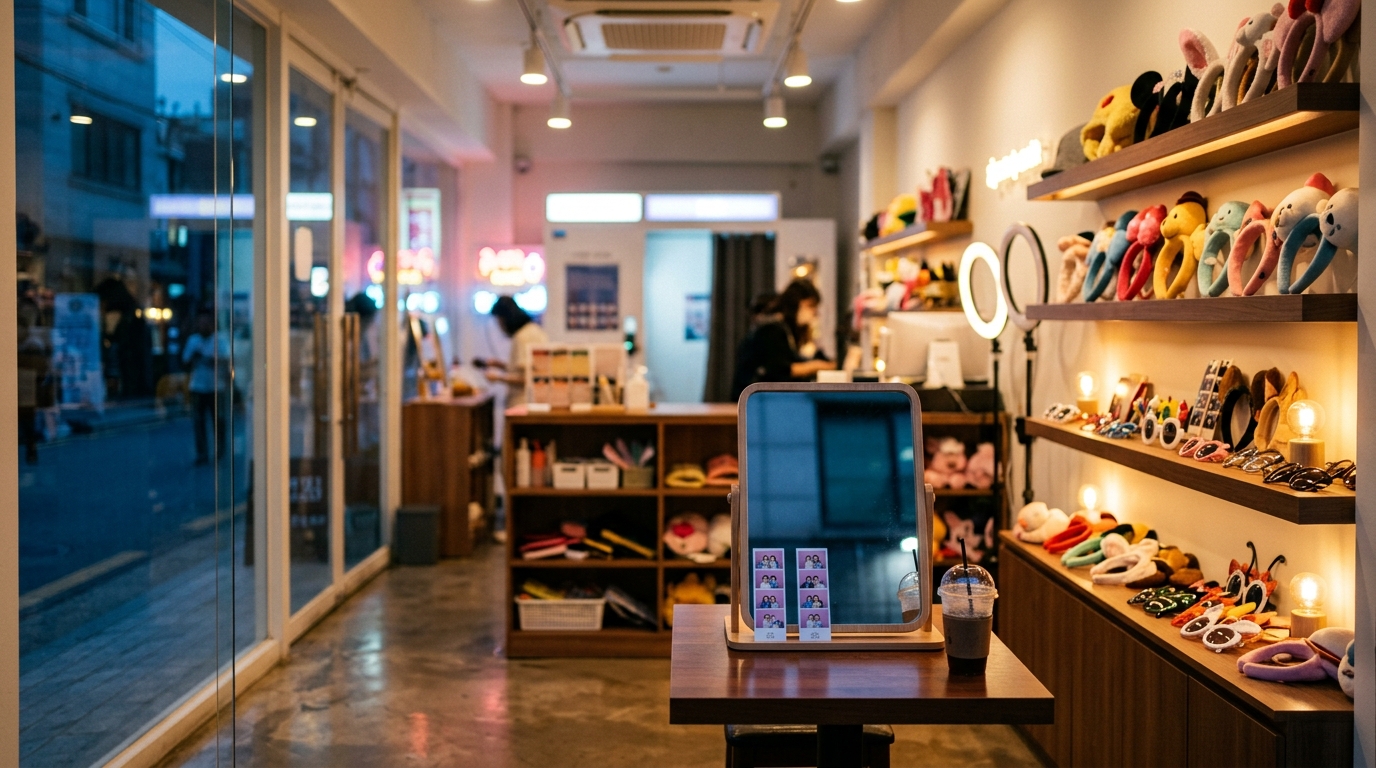
Many multi-room studios supply shared hair straighteners, combs, vanity mirrors, and prop tables stocked with plush headbands and themed glasses. Travel guides for foreign visitors in Korea emphasize leaving these prep counters neat so everyone enjoys a fast session.
Rule 5: How Do You Save Your QR Code Photos and Videos Before They Expire?
Scanning the printed QR code on your photo strip with a smartphone camera opens direct browser links to download the original photo file (.jpg) and time-lapse video (.mp4). You do not need to download a Korean app, register an account, or enter a local phone number.
Digital media download links generated by photo booth servers are temporary and expire automatically within 24 hours to 7 days. If you forget to scan and download your files on the day of your visit, the server link will close permanently and cannot be recovered.
| Studio Chain | Digital Download Expiration | Available Media Downloads |
|---|---|---|
| Life Four Cuts | 72 Hours | High-Res JPG + MP4 Behind-the-Scenes Video |
| Photoism | 72 Hours | High-Res JPG + MP4 Time-lapse Clip |
| Haru Film | 24 Hours | High-Res Original JPG + Strip Composite JPG |
| Don'tLxxkUp | 24 Hours | Overhead Angle JPG + MP4 Video Clip |
Rule 6: Where Can You Find High-Angle and Concept Booths in Seongsu and Hongdae?
Specialized high-angle, vintage, and themed concept booths cluster heavily in Seoul's creative nightlife districts like Hongdae, Seongsu-dong, and Myeongdong, while standard Life Four Cuts locations sit on almost every commercial street.
Exploring these neighborhoods lets you try unique setups, including metallic industrial rooms, fake subway cars, and high-angle elevator cameras.
Top Seoul Districts for Photo Booth Hopping
- Hongdae (홍대): The absolute epicenter of photo booth culture. Walk down the main Hongdae Pedestrian Street (Eoulmadang-ro) to find specialized Y2K high-angle booths like Don'tLxxkUp, as well as multi-story flagship locations for Photoism and Life Four Cuts.
- Seongsu-dong (성수동): Known for artistic flagships along Yeonmujang-gil. Here you will find concept studios featuring high-contrast vintage monochromatic lighting, glass-floor perspectives, and industrial backdrops.
- Myeongdong (명동): Ideal for character-themed photo strips. Myeongdong locations frequently stock extensive Disney, Sanrio, and anime character props geared toward international tourists.
Rule 7: What Should You Do If Technical Issues Occur in Unmanned Stores?
If a kiosk freezes, runs out of photo paper, or prints without a QR code, you can request direct assistance or a refund using support info posted inside the shop.
Every official unmanned self-photo studio in South Korea displays an emergency phone line, support email, or official KakaoTalk Channel QR code near the door or on the screen frame. Understanding how self-photo studios operate in Korea helps you resolve issues quickly without needing to speak fluent Korean.
Contacting Remote Support Without Speaking Korean
- Take a photo of the error screen or printer failure on the kiosk monitor.
- Scan the KakaoTalk Customer Service QR Code displayed on the booth wall using your phone camera or KakaoTalk app.
- Send the photo of the error along with your receipt transaction number or card authorization time.
- Support teams routinely use auto-translation to communicate with foreign visitors and can trigger remote reprints or process card refund requests online.
Summary & Quick Reference Checklist for Seoul Travelers
Taking self-photo booth strips in Seoul is one of the easiest ways to document a trip to South Korea. Choosing the right studio, checking the digital QR consent box on screen, preparing four poses, and saving your video files before server links expire ensures a hassle-free visit.
| Travel Checklist Item | Action Required | Status |
|---|---|---|
| Payment Prep | Carry ₩1,000 / ₩5,000 cash or international Visa/Mastercard | Ready |
| Language Settings | Tap language button on kiosk screen to select English | Ready |
| Digital Media Consent | Check "Agree to QR Code Print" box before paying | Essential |
| Pose Strategy | Pre-plan 4 poses to avoid scrambling during the 10-second timer | Ready |
| Prop Care | Return headbands and turn off hair curlers after shooting | Etiquette |
| Digital File Download | Scan printed QR code and save .jpg and .mp4 within 24 hours | Time-Sensitive |
Frequently asked questions
Q. Do foreign Visa and Mastercard credit cards work at Life Four Cuts in South Korea?
Yes, most kiosks accept foreign Visa and Mastercard IC chip cards. If your card fails, use physical ₩1,000 or ₩5,000 banknotes, which you can break using the store's automated bill changer.
Q. Do I need a Korean mobile app to download my digital photos and videos?
No, you do not need to download a Korean app or register a local phone number. Simply open your phone's camera, scan the QR code printed on your photo strip, and open the web browser link to save your JPG photo and MP4 video clip.
Q. How long do I have to download my photos from the QR code link?
Digital download links are temporary and usually expire within 24 to 72 hours after printing, depending on the studio chain. Be sure to scan the QR code and save both files to your phone gallery on the day of your visit.
Q. Can I take photos alone in Korean photo booths?
Yes, solo photo sessions (*honcut*) are very popular in Korea. Kiosks allow you to select standard two-strip prints, meaning you receive two physical copies of your solo photo strip to keep or share.